Code: 49865013
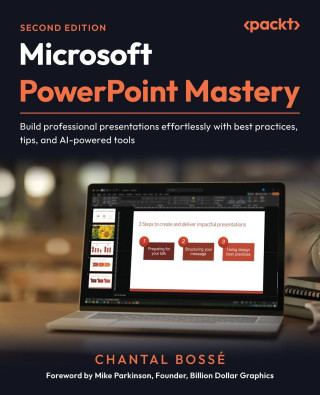
Microsoft PowerPoint Mastery - Second Edition
by Chantal Bossé, Mike Parkinson
Launch decks with Copilot, refine visuals with Designer, rehearse with Speaker Coach, and deliver with PowerPoint Live to create polished PowerPoint presentationsFree with your book: PDF Copy, AI Assistant, and Next-Gen ReaderKey ... more


- Language:
 English
 - Binding: Paperback
- Number of pages: 460
Publisher: Packt Publishing, 2025
- More about this

28.37 €
RRP: 28.99 €
You save 0.62 €

In stock at our supplier
Shipping in 14 - 21 days
You might also like
-

Clan 7 Student Beginners Pack
31.51 € -

Mathematics of Tabletop Games
36.27 € -

Claude François, ses notes confidentielles
22.79 € -

The Secret History of Language
92.62 € -

Raptor
29.68 € -

The Trauma Root of Social Work
53.40 € -

LE GUIDE ALIMENTAIRE LE PLUS SIMPLE POUR LA MALADIE RÉNALE DE STADE 4 SPÉCIAL DÉBUTANTS
24.52 € -7 % -

LA CULTURA DE LOS VENCEDORES
18.43 € -9 % -

Georges Perec
37.89 € -16 % -

Kriminalgeschichten aus Koenigsborn
8.30 € -8 % -

Main Kya likhun
15.80 € -1 % -

Die Lehre Vom Baumschnitt: Fur Die Deutschen Garten Bearbeitet (1899)
44.58 € -2 % -

Sieben Jahre in Ceylon
32.83 € -14 % -

Die Unparteilichkeit des Richters in Europa im Lichte der Rechtsprechung des Europäischen Gerichtshofs für Menschenrechte
94.65 € -

Burnout collettivo nel team infermieristico
54.41 € -14 % -

Unknown Facts: Everything you wanted to know that you don't know because it's unknown.
11.54 € -7 % -

VIBRASONS
13.47 € -

Tracey, Theme Park Designer
15.09 € -

Previsión Social del Profesorado Universitario: Retos y Perspectivas
10.73 € -6 % -

Soy éxodo y llegada
18.13 € -

Aristotelis Opera: Historia Animalium
26.54 € -1 %
Give this book as a present today
- Order book and choose Gift Order.
- We will send you book gift voucher at once. You can give it out to anyone.
- Book will be send to donee, nothing more to care about.
More about Microsoft PowerPoint Mastery - Second Edition
You get 69 loyalty points
 Book synopsis
Launch decks with Copilot, refine visuals with Designer, rehearse with Speaker Coach, and deliver with PowerPoint Live to create polished PowerPoint presentations
Free with your book: PDF Copy, AI Assistant, and Next-Gen Reader
Key Features:
- Design dynamic, engaging presentations with purposeful transitions, navigation, and interactive elements
- Save time and streamline workflows using Slide Master, Handout Master, Designer, and Copilot
- Bring your ideas to life with stunning visuals using SmartArt, images, multimedia, and AI tools
Book Description:
If you've ever spent hours crafting slides that still feel uninspired, you're not alone. This book shows you how to tap into PowerPoint's true potential to transform ordinary decks into presentations that connect, persuade, and stick.
This second edition is updated with a full chapter on using Microsoft Copilot to jump-start new presentations and expands coverage of AI-powered design tools like Designer. It introduces new ways to convert text into SmartArt, customize PowerPoint's stock images, and integrate third-party add-ins. You'll also explore richer multimedia options, purposeful transitions and navigation, and enhanced delivery tools, such as Speaker Coach and the latest PowerPoint Live features, including polls, Q&A, avatars, and immersive spaces, for more engaging virtual presentations. You'll discover how to speed up slide creation, elevate visuals, and structure your decks for maximum clarity and impact. Real-world examples throughout ensure you can apply these features immediately.
By the end of this book, you'll have the skills, confidence, and workflow to create professional presentations that flow seamlessly and leave a lasting impression, all while saving time and working smarter.
What You Will Learn:
- Plan and structure content for maximum audience impact
- Use PowerPoint's Masters to create consistent, professional slides and documents
- Leverage advanced animations and Morph transitions for smooth flow
- Add interactivity with Zoom, hyperlinks, and custom menus
- Practice and perfect your delivery with PowerPoint's built-in tools
- Enhance audience engagement by using Presenter View features
- Deliver seamless virtual presentations with PowerPoint Live
Who this book is for:
This book is for business professionals who want actionable best practices and smarter ways to get the most out of PowerPoint's features to create and deliver compelling presentations. No formal presentation design knowledge is needed, but you do need to know PowerPoint's basic tools and functions, such as starting and saving files, adding, copying, pasting, or moving slides. A sound understanding of cloud storage and the use of Office 365 is also needed.
Table of Contents
- Analyzing Your Audience and Presentation Delivery Needs
- Using Industry Best Practices to Design Better Visuals
- Leveraging PowerPoint's Slide Master for Design
- Using PowerPoint's Document Masters for Accessible Handouts and Notes
- Starting Your Presentation With M365 Copilot
- Using Artificial Intelligence to Improve Your Visuals
- Adding and Modifying Visual Elements
- Adding and Modifying Multimedia Elements
- Working with Transitions and Animations
- Building Flexibility and Interactivity into Your Presentations
- Using PowerPoint Third-Party Add-Ins
- Practicing Your Presentation Delivery
- Using Presenter View
- Using PowerPoint Live and Interactive Features in Microsoft Teams
Book details
Book category Books in German Naturwissenschaften, Medizin, Informatik, Technik Informatik, EDV Anwendungs-Software
28.37 €
- Full title: Microsoft PowerPoint Mastery - Second Edition
- Author: Chantal Bossé, Mike Parkinson
- Language: English
- Binding: Paperback
- Number of pages: 460
- EAN: 9781835882245
- ISBN: 1835882242
- ID: 49865013
- Publisher: Packt Publishing
- Weight: 785 g
- Dimensions: 235 × 191 × 24 mm
- Date of publishing: 24. October 2025
Trending among others
-
Designing Data-Intensive Applications
49.65 € -24 % -
Microsoft Excel 365 Bible
38.91 € -25 % -
Level Up! the Guide to Great Video Game Design
33.94 € -29 % -

The Definitive Guide to DAX
53.91 € -19 % -

Mastering Project Management in the Age of AI
19.25 € -7 % -
Slide: Ology
32.12 € -24 % -
Authorizations in SAP S/4HANA and SAP Fiori
63.13 € -24 % -

Hurt Me Plenty: The Ultimate Guide to First-Person Shooters 2003 - 2010
51.68 € -

The Photographer's Guide to Portrait Perfection
52.79 € -24 % -

QGIS for Hydrological Applications - Second Edition: Recipes for Catchment Hydrology and Water Management
55.73 € -

Microsoft Copilot for Dummies
18.84 € -30 % -
Learn Microsoft Power BI - Third Edition
55.43 € -2 % -
Microsoft 365 Excel Formulas & Functions for Dummies
25.83 € -23 % -

DAX for Humans
55.43 € -2 % -
Autodesk Inventor 2026 Basics Tutorial (COLORED)
28.67 € -24 % -

Tank Craft 50 Panzer III Light Tank
21.27 € -25 % -

Warhammer Video Game Art
40.53 € -24 % -
Vulkan 3D Graphics Rendering Cookbook - Second Edition
46.41 € -2 % -
Microsoft Power BI Performance Best Practices - Second Edition
43.67 € -2 % -

Archicad 28
40.22 € -11 % -
Excel VBA Programming for Dummies
25.12 € -25 % -

BricsCAD V24 Basics Tutorial (COLORED)
26.95 € -7 % -

Draftsight 2022 For Beginners
25.12 € -25 % -

AutoCAD Electrical 2025 Black Book
64.45 € -1 % -
SOLIDWORKS Simulation 2024
54.51 € -2 % -

Office 2024 und Microsoft 365
13.57 € -10 % -
Excel Power Tools & Power BI Desktop
35.76 € -11 % -

SolidWorks Electrical 2026 Black Book
51.78 € -2 % -

PowerShell 7 und Windows PowerShell 5 - das Praxisbuch
56.74 € -6 % -

Affinity
26.95 € -11 % -
Materials Management with SAP S/4HANA
63.13 € -24 % -
Warehouse Management with SAP S/4HANA
70.02 € -24 % -
ITIL(R) 4 Create, Deliver and Support (CDS)
44.08 € -6 % -
EWM with SAP S/4HANA
63.13 € -24 % -
SAP S/4HANA Financial Accounting Certification Guide
56.24 € -24 % -

FreeCAD | Step by Step
15.80 € -20 % -

Autodesk Fusion 360 Basics Tutorial
23.91 € -1 % -
Sales and Distribution with SAP S/4HANA
56.24 € -24 % -
Learn PostgreSQL - Second Edition
41.85 € -2 % -
Microsoft 365 Excel for Dummies
21.78 € -24 % -
Power Query for Power BI and Excel
15.50 € -25 % -
Quality Management with SAP S/4HANA
99.51 € -4 % -
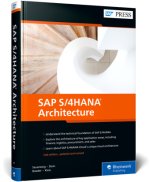
SAP S/4HANA Architecture
56.24 € -24 % -
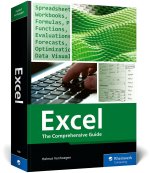
Excel
38.91 € -25 % -

SimRacing - Start your engines
22.39 € -14 % -
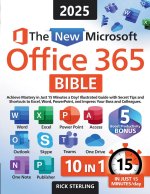
The New Microsoft Office 365 Bible
20.97 € -19 % -

Microsoft 365 Word for Professionals for Dummies
21.78 € -24 % -
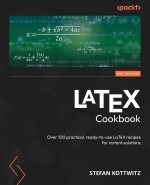
LaTeX Cookbook - Second Edition
39.21 € -1 % -

Introduction to AutoCAD Plant 3D 2025 (COLORED)
25.12 € -25 %
Collection points Bratislava a 12836 dalších
Copyright ©2008-26 najlacnejsie-knihy.sk All rights reservedPrivacyCookies

 25676 collection points
 Delivery 2.99 €
 02/210 210 99 (8-15.30h)